01↗
Desktop Services
Diagnosis, repair, component replacement and performance optimisation for office desktop systems.
- ✓No-power and display issues
- ✓Motherboard, RAM and storage diagnosis
- ✓SMPS and component replacement
- ✓Performance optimisation
PROFESSIONAL ENDPOINT SERVICES
Professional diagnosis, repair, upgrades and preventive maintenance for business desktops, laptops and high-performance workstations.
Processor, memory, storage and power
Boot, updates, drivers and stability
Speed, temperature and application load
Updates, protection and user access
Repair, upgrade or replacement decision
SERVICE CAPABILITIES
Services are planned according to equipment condition, business impact, required performance and future usage.
Diagnosis, repair, component replacement and performance optimisation for office desktop systems.
Professional laptop diagnosis and repair for hardware, software, display, battery and performance issues.
Workstation planning and support for CAD, graphics, architecture, engineering and professional applications.
Practical upgrades designed to extend equipment life and improve user productivity.
Operating-system installation, driver configuration, security updates and application troubleshooting.
Scheduled maintenance for business computers to reduce failures, downtime and performance problems.
DEEP HARDWARE DIAGNOSIS
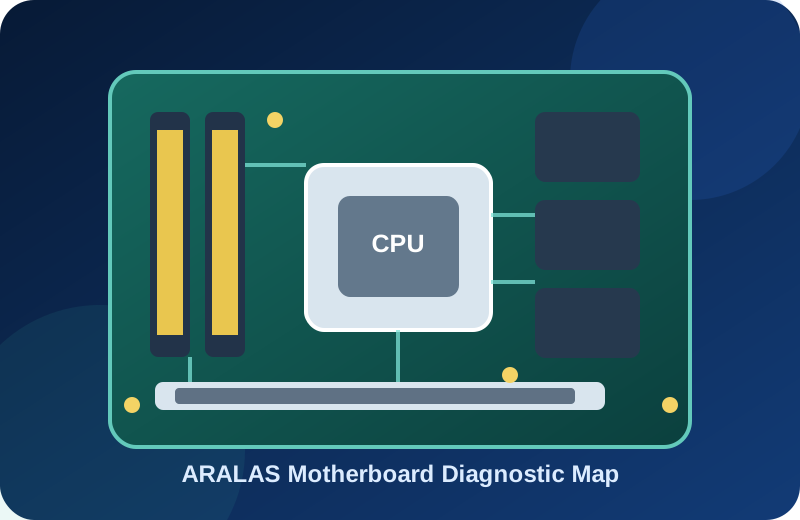
Motherboard DIAGNOSTICS
Systematic assessment of power rails, BIOS, chipset, controllers, slots, connectors and board-level failure symptoms.
Scope depends on equipment condition, parts availability and technical feasibility.
Diagnosis starts from the actual failure, user impact and system behaviour instead of replacing parts without assessment.
Hardware, interfaces, thermal condition, storage health and software interaction are checked systematically.
After assessment, the practical decision may be repair, upgrade, replacement or monitored continued use.
REPAIR OR UPGRADE?
Not every slow or faulty computer needs replacement. Our assessment considers repair cost, hardware age, application requirements, expected performance and future serviceability.
Request system assessment→Recommended where the system remains commercially viable and the fault can be reliably corrected.
Suitable when memory, storage or selected components can deliver meaningful performance improvement.
Recommended when repair risk, age, performance or future compatibility makes further investment impractical.
SERVICE WORKFLOW
Every service request follows a structured technical and commercial workflow.
The issue, device information, user impact and preferred service mode are recorded.
Our engineer inspects hardware, software and system health to identify the root cause.
Required work, replacement parts, expected time and commercial estimate are shared.
Approved repair or upgrade is completed and the system is tested for stability.
The device is handed over with service details, recommendations and applicable warranty information.
BUSINESS ENVIRONMENTS
Support can be planned for individual offices, large user environments and multi-location organisations.
FREQUENTLY ASKED QUESTIONS
Common information for businesses planning repair, upgrades or maintenance support.
On-site support can be provided for business customers based on location, service requirement and engineer availability.
Yes. After checking processor generation, motherboard, RAM, storage and overall condition, we recommend whether an upgrade is commercially practical.
Yes. Computer and laptop maintenance can be included within a customised AMC plan along with networking, servers and other infrastructure.
Backup requirements should be discussed before service. Backup feasibility depends on the health and accessibility of the existing storage device.
REQUEST TECHNICAL SUPPORT
Share the issue, device type, business impact and preferred service mode with our technical team.