POPULAR PRACTICAL PROGRAMS

Explore Our Technical Courses

Learn by Doing
01HARDWARE ENGINEERING

Desktop Hardware Engineering

Build, Diagnose and Repair Complete Desktop Systems

Study desktop architecture from individual electronic components to complete business workstations. Learn assembly, compatibility, power diagnosis, BIOS configuration, upgrades, cooling and professional fault detection.

Motherboard architecture and component identificationProcessor, chipset and RAM compatibilitySMPS testing and power-related faultsSSD, storage and performance upgradesBIOS, UEFI and boot troubleshootingCooling, thermal service and preventive maintenance
DURATION8 Weeks
LEVELFoundation to Advanced
LEARNING MODEPractical + Research
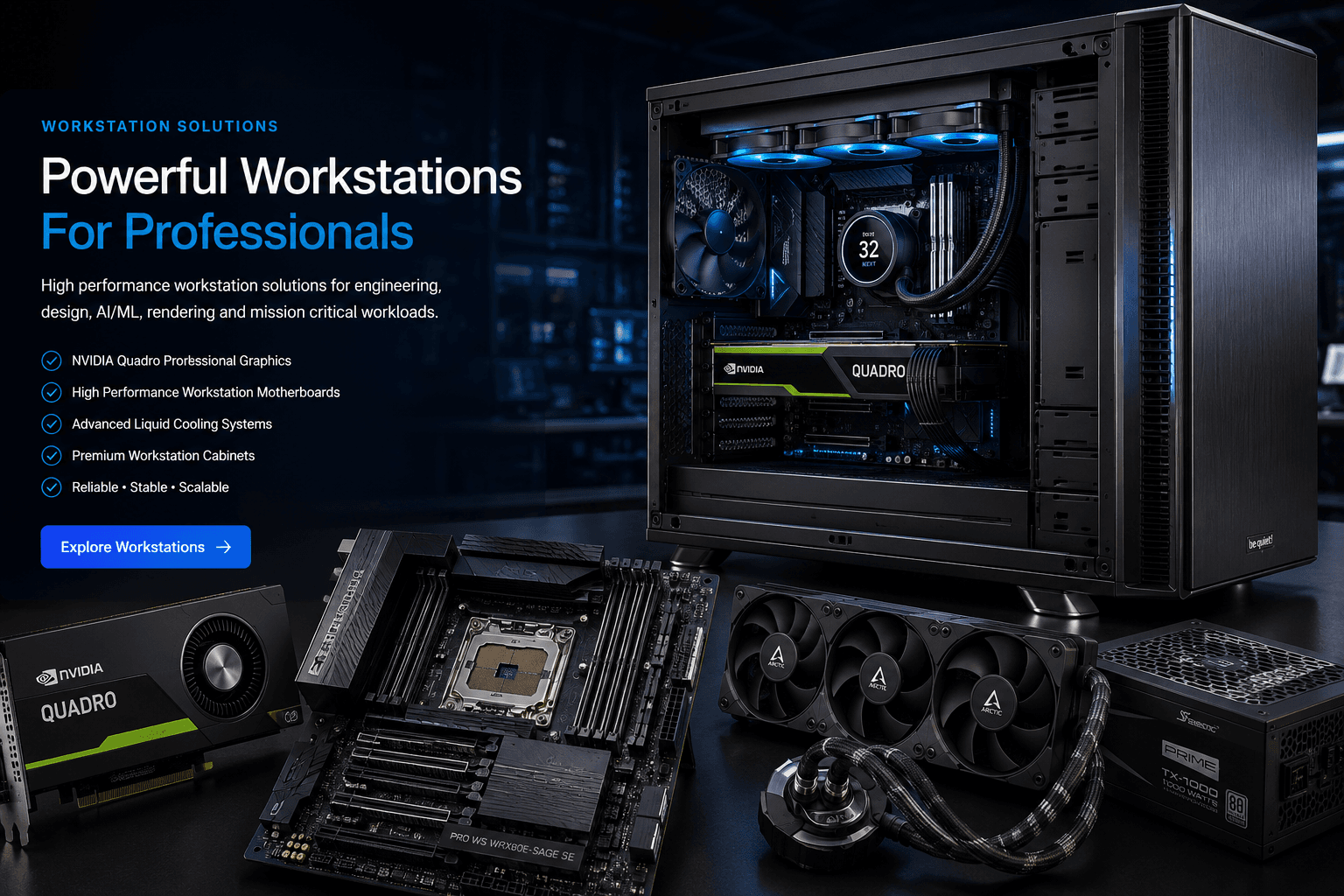
Desktop Hardware Engineering practical course
ARALAS PRACTICAL LABHARDWARE ENGINEERING
Real EquipmentHands-on technical learning
Industry FocusedPractical career preparation
01/07
Auto Slide
Hands-on TrainingPractice using real hardware and equipment
Research FocusStudy and solve real technical problems
Industry ExposureUnderstand field and business environments
Internship AssistancePerformance and availability based support
All Over IndiaStudents from different states can participate

ARALAS STUDENT PORTAL

Assessment, Login and Career Progress in One Place

New students can complete the skill assessment and receive a personalised course recommendation. Returning students can log in using their mobile number and application number.

NEW STUDENT

Start Free Skill Assessment

Check your present technical level, identify skill gaps and receive a recommended career and course roadmap.

  • Career interest analysis
  • Practical skill score
  • Recommended course
  • Application number
Start Assessment
RETURNING STUDENT

Student Login

Access your saved profile, assessment score, recommended career and next learning step.

  • View saved assessment
  • See career recommendation
  • Check immediate course
  • Continue future assessments
Login to Student Portal
StudentsDiploma, ITI, BCA, B.Tech and technology learners
InstitutionsProject, lab and technical-research collaboration
ProfessionalsUpskilling for hardware and infrastructure careers
All Over IndiaDigital guidance with structured practical programs

COMPLETE TECHNICAL CURRICULUM

From Individual Components to Complete Business Infrastructure

Students will not only study definitions. They will understand how hardware, storage, operating systems, servers and networks work together in real business environments.

01DEEP PRACTICAL TRACK

Desktop Hardware Engineering

Deep practical study of business desktops, workstations and custom systems.

  • Motherboard architecture and component identification
  • Processor, chipset, RAM and storage compatibility
  • SMPS testing, power rails and startup faults
  • BIOS, UEFI, firmware and boot troubleshooting
  • Thermal management and cooling
  • Assembly, upgrades and performance testing
  • Real fault diagnosis and repair workflow
02DEEP PRACTICAL TRACK

Laptop Hardware Engineering

Practical understanding of laptop architecture, diagnostics and service procedures.

  • Laptop motherboard blocks and internal architecture
  • Display, keyboard, touchpad and port diagnosis
  • Charging, battery and adapter-related faults
  • RAM, SSD, Wi-Fi and cooling upgrades
  • BIOS configuration and operating-system deployment
  • Preventive maintenance and thermal servicing
  • Professional inspection and service documentation
03DEEP PRACTICAL TRACK

Physical Server Engineering

Enterprise server hardware, deployment and infrastructure administration.

  • Rack and tower server architecture
  • ECC memory, server processors and redundant power
  • RAID controllers and enterprise storage
  • Server BIOS, firmware and hardware health
  • Windows Server installation and configuration
  • Active Directory, DNS, DHCP and user management
  • Remote administration and server maintenance
04DEEP PRACTICAL TRACK

NAS, RAID & Data Protection

Storage planning, shared data, redundancy and business backup practices.

  • NAS hardware and storage architecture
  • RAID levels, capacity and failure tolerance
  • Shared folders and permission planning
  • User access and department-wise storage
  • Local backup and restore testing
  • Disk-health and storage monitoring
  • Business continuity and recovery planning
05DEEP PRACTICAL TRACK

Enterprise Networking

Complete practical networking from cable termination to managed infrastructure.

  • LAN, WAN, TCP/IP and subnetting
  • Structured cabling, rack dressing and labelling
  • Router, switch and access-point configuration
  • Managed switches, VLANs and trunking
  • Wi-Fi planning and coverage testing
  • Firewall, VPN and secure remote connectivity
  • Network troubleshooting with practical tools
06DEEP PRACTICAL TRACK

IT Infrastructure Operations

Learn how complete business environments are deployed, maintained and supported.

  • Asset inventory and infrastructure documentation
  • Preventive maintenance and AMC workflow
  • Ticket handling and field-service discipline
  • Customer communication and technical reporting
  • Remote support and on-site troubleshooting
  • Backup verification and system-health checks
  • Professional handover and support procedures

PRACTICAL LAB ECOSYSTEM

Training Designed Around Real Equipment and Real Problems

Each lab area focuses on inspection, testing, configuration, troubleshooting, documentation and professional safety.

LAB 01

Hardware Diagnostic Lab

Motherboards, SMPS, RAM, SSD, processors and real faulty systems.

LAB 02

Laptop Service Lab

Laptop assembly, upgrades, thermal service and systematic diagnosis.

LAB 03

Server & Storage Lab

Physical servers, RAID, NAS, backup and Windows Server practice.

LAB 04

Networking Lab

Routers, managed switches, access points, VLANs, cabling and firewall practice.

LAB 05

Research Workshop

Technical experiments, final-year projects, documentation and innovation.

LAB 06

Field Support Exposure

Business-site visits, installation practices and real support workflow.

INDUSTRY READINESS PATH

Learning That Can Progress Toward Internship and Field Exposure

Students who demonstrate technical ability, discipline, documentation quality and professional behaviour may be considered for available internship, research, lab-assistant or supervised field-exposure opportunities.

Important:

Internship or placement is not automatically guaranteed. Opportunities depend on student performance, project quality, business requirements, location and availability.

01

Foundation Assessment

Understand the student's present knowledge and learning objective.

02

Practical Lab Training

Work directly with real equipment, tools and infrastructure.

03

Fault-Based Learning

Diagnose realistic hardware, server and network problems.

04

Project & Research

Build a documented practical project or technical study.

05

Industry Readiness

Learn reporting, customer handling, safety and field discipline.

06

Internship Assistance

Eligible students may receive internship or field-exposure assistance based on performance and availability.

INDIA-WIDE KNOWLEDGE NETWORKOne Network

Students • Engineers • Mentors • Businesses

A growing technology community for practical learning, collaboration, research, technical discussion and future professional opportunities.

RESEARCH & INNOVATION

Students Can Study Real Technical Problems

Failure Analysis

Study why hardware, storage and networks fail.

Performance Research

Compare systems, storage, networks and configurations.

Final-Year Projects

Develop practical and properly documented projects.

Infrastructure Design

Plan solutions for offices, schools and businesses.

ARALAS CAREER INTELLIGENCE PORTAL

Discover the Right Technical Career for You

Tell us your goal, present knowledge and preferred work style. The system will create a practical, personalised learning roadmap.

STEP 1 OF 617% Complete
STUDENT PROFILE

Let us know about you

These details help us prepare a relevant career and learning recommendation.

STUDENT DIGITAL LEARNING RESOURCE

Computer Hardware Knowledge Lab

Search and study desktop, laptop, server, NAS, SSD, HDD, RAM, ports, converters, networking devices and peripherals with zoomable images and practical descriptions.

Open Hardware Lab →
WhatsApp